01Import
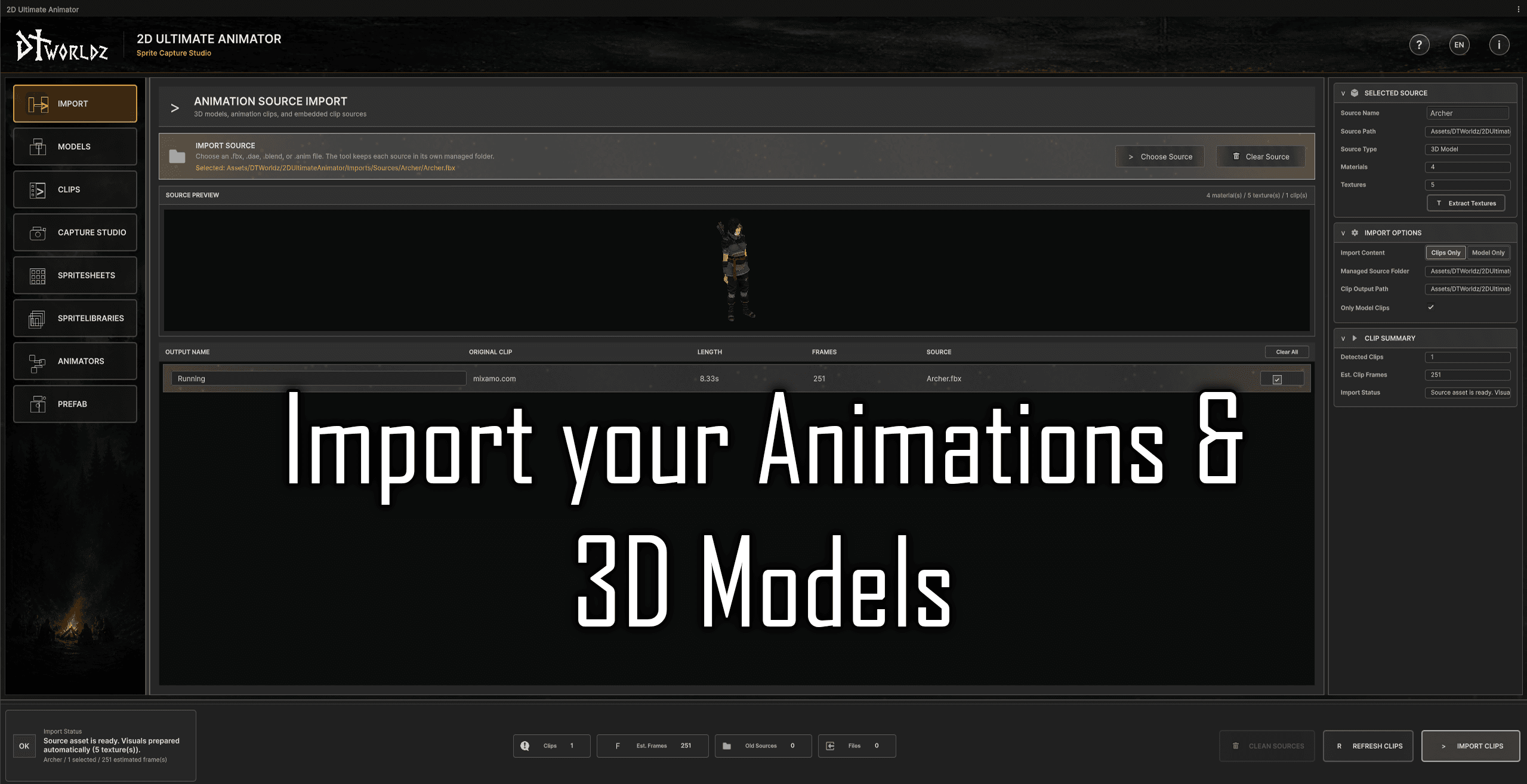
Bring supported Mixamo-style FBX character models and animation clip exports into a managed workspace. Model and clip import paths keep source assets organized before capture.

Unity Asset Store Live
Unity Editor Sprite Pipeline
A guided Unity editor pipeline for capturing Mixamo-style humanoid animation and held-item setups as transparent directional sprite sheets, Sprite Libraries, Animator Controllers, and playable prefabs.
Product facts verified
View on Unity Asset Store
Each workflow step is designed to keep the next production decision visible before files are generated. The screenshots below show the editor path in the same order a team would use it.
Bring supported Mixamo-style FBX character models and animation clip exports into a managed workspace. Model and clip import paths keep source assets organized before capture.
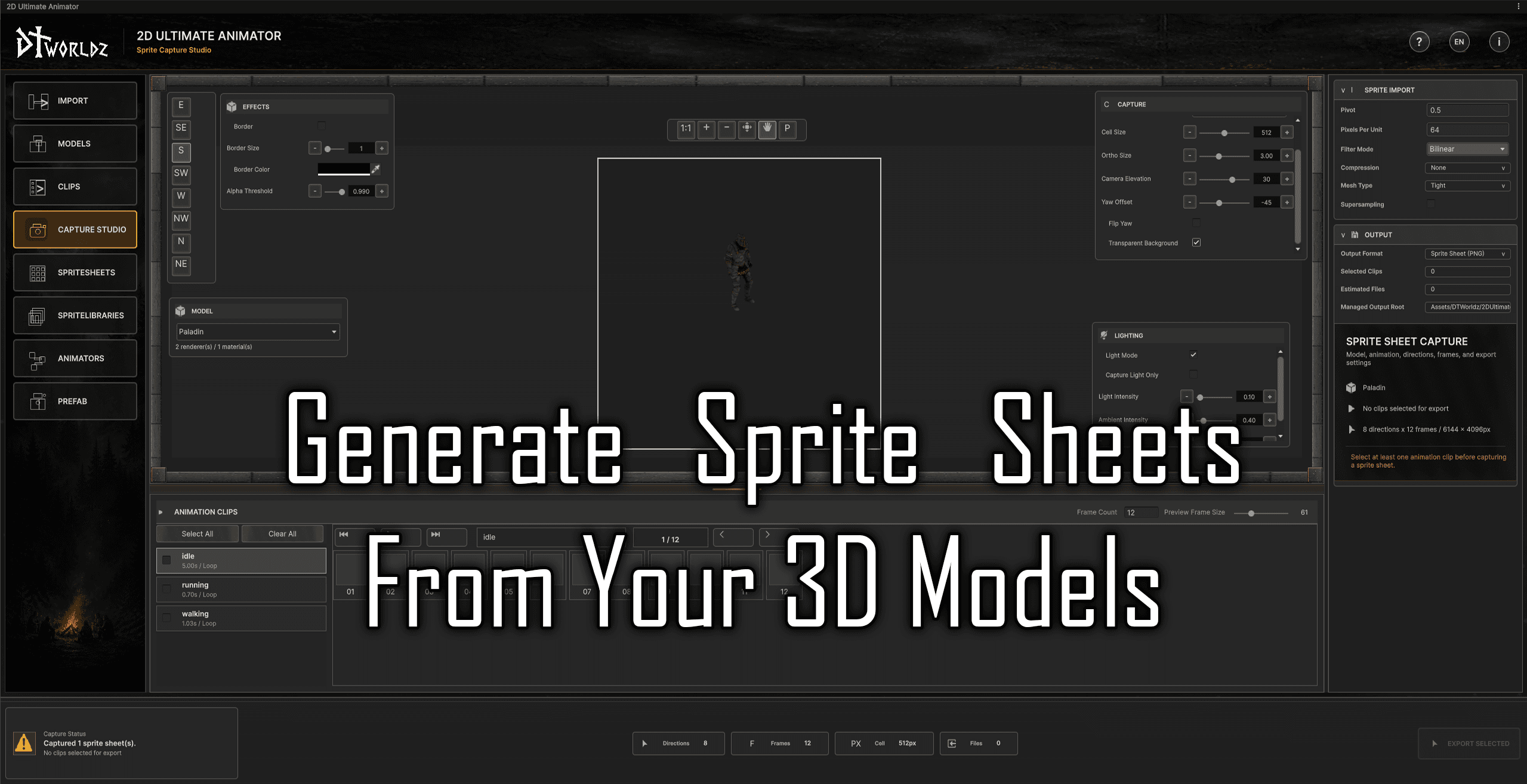
Choose a model, clip, and optional held item, then tune direction count, frame count, cell size, camera presets, yaw, transparency, supersampling, lighting, border, outline, grounded shadow, preview frames, and export settings.
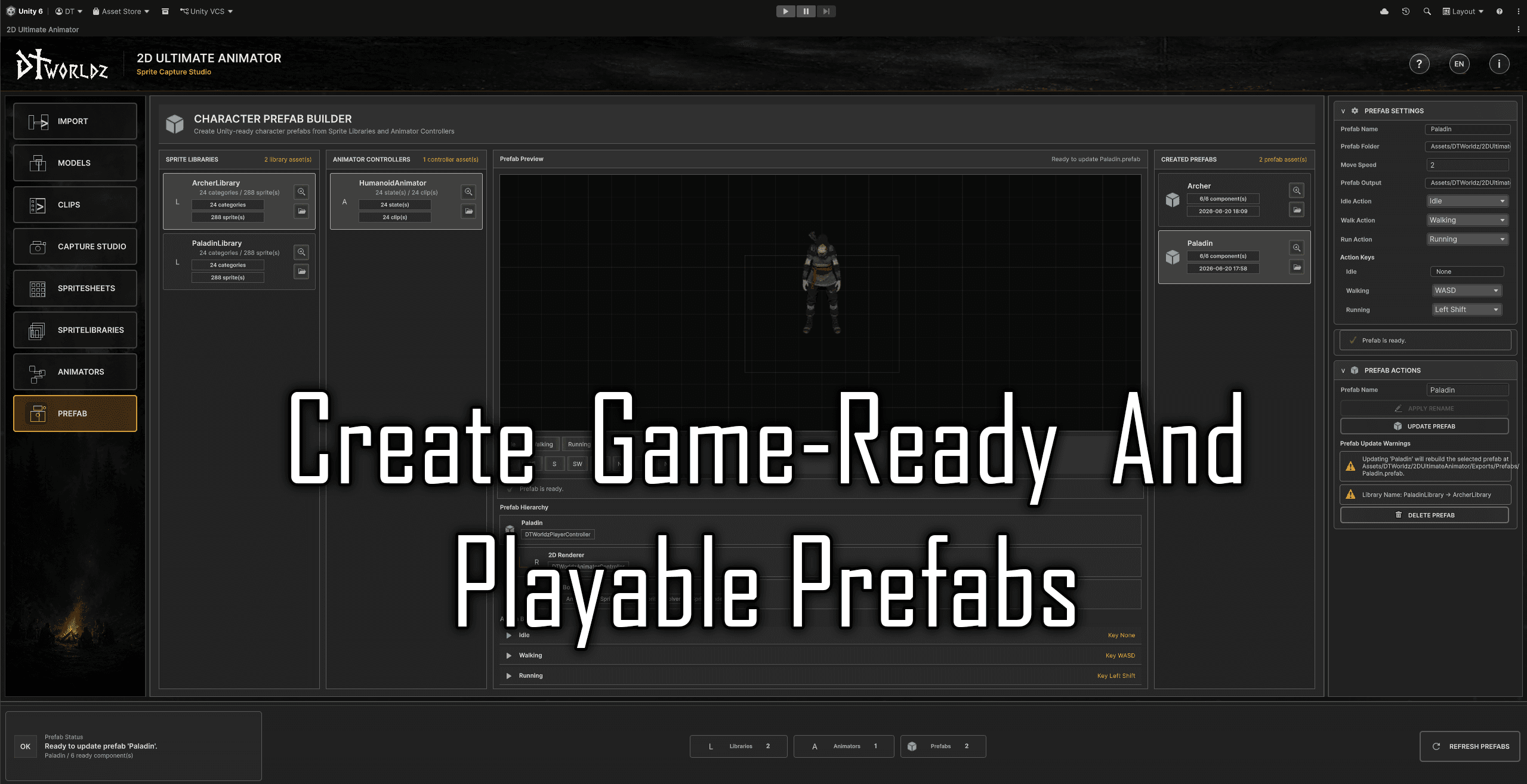
Export a playable character prefab that combines the Sprite Library, Animator Controller, movement settings, and action bindings. This is the handoff point where generated visual assets become a testable 2D character.
Product media
Original product videos and screenshots, kept in the same gallery flow as the current asset record.
Video 1 / 1
A DTWorldz product video showing the 2D Ultimate Animator workflow and Sprite Capture Studio in motion.
Additional storefront
Production brief
The tool is built for artists, technical artists, and Unity developers who use Mixamo-style humanoid FBX character and animation exports but ship a 2D game. Instead of treating capture as a screenshot task, it keeps import, validation, item placement, preview, capture, slicing, Sprite Library generation, animator generation, and prefab export in one managed editor path.
Version 1.1.2 supports body plus held-item and item-only capture workflows, along with baked, separate, or shadow-only grounded-shadow output. The preview is intended to match exported framing, lighting, item placement, and visual effects before PNG generation.
This is the Unity-specific DTWorldz product: it generates Sprite Libraries, Sprite Resolver animation, Animator Controllers, and prefabs inside Unity. The separate browser-based DTWorldz Sprite Capture Studio consumes Blender-pipeline catalog packages and exports engine-agnostic COLOR/DEPTH PNG atlases with JSON manifests.
Related field notes
Practical articles and adjacent DTWorldz tools that add implementation context beyond the product record.
Read the engine-agnostic Blender-to-spritesheet workflow and how its portable package differs from the Unity Editor asset.
Read moreInspect DTWorldz Sprite Capture Studio when the source animation is authored in Blender instead of Unity.
Read moreField notes
The deeper technical record remains available without crowding the main product story.
Choose the direction set and frame sampling that fit the target game view.
Tracked PNG sprite-sheet examples in the verified v1.1.2 release tree.
Verified release examples include character, equipment, held-item, and shadow Sprite Libraries.
Lady, Ragnar, and Sentinel are included as generated playable prefab examples.
Import, preview, capture, slice, build libraries, generate animators, and export playable prefabs without treating each stage as a disconnected task.
Keep source models and animation clips organized in tool-managed folders before capture decisions are made.
Review clips, loop state, length, and estimated frame counts before committing them to sprite sheet output.
Capture transparent directional sheets for side-view, top-down, and isometric-style character presentation.
Choose the directional footprint that fits the project, from simple 2D movement to richer top-down or isometric character sets.
Attach weapons or tools to a humanoid hand, preview placement, and capture Body + Item or Item Only output for combined or layered character setups.
Tune frame count and sheet cell size so output resolution, file size, and animation fidelity stay intentional.
Camera elevation, yaw offset, and flip yaw controls help align captures for different game-view conventions.
Override lighting and capture against transparency so output sheets are ready for Unity import and compositing.
Use border, outline, and grounded-shadow controls when characters need extra readability, with baked, shadow-only, or separate sprite-and-shadow export modes.
Inspect sprite count, texture size, pivot, pixels per unit, filter mode, compression, mesh type, and mipmaps.
Create or update Unity Sprite Library assets from captured sheets using action_direction categories and frame labels.
Generate resolver animation clips and Animator Controllers from Sprite Library categories, action groups, and direction states.
Export prefabs that combine the generated Sprite Library, Animator Controller, movement settings, and action bindings.
The editor workflow includes English and Turkish localization for teams working across both languages.
Ten packaged guides cover Quick Start, Import, Models, Clips, Capture Studio, Spritesheets, Sprite Libraries, Animators, Prefab Export, and Troubleshooting.
01
Bring supported Mixamo-style FBX character models and animation clip exports into a managed workspace. Model and clip import paths keep source assets organized before capture.
02
Review imported models before capture. The model screen focuses on renderer, material, texture, skinned mesh, rig, and humanoid avatar health checks so capture issues can be caught early.
03
Attach a compatible held-item prefab to a humanoid hand, adjust and preview its placement, then choose Body + Item or Item Only output for combined or layered Sprite Library workflows.
04
Inspect animation clips before they become sprite frames. Loop state, clip length, estimated frame count, duplicate and retime actions, and batch operations keep the capture list predictable.
05
Choose a model, clip, and optional held item, then tune direction count, frame count, cell size, camera presets, yaw, transparency, supersampling, lighting, border, outline, grounded shadow, preview frames, and export settings.
06
Review captured PNG sheets and their import settings. Sprite count, texture size, pivot, pixels per unit, filter mode, compression, mesh type, and mipmap settings are visible before downstream assets are built.
07
Build or update Unity Sprite Library assets from ready sheets. The generated library structure uses action_direction categories and frame labels so resolver animation clips can target frames consistently.
08
Generate animation clips and an Animator Controller from Sprite Library categories. Action groups, direction states, and sample rate settings help convert captured sprites into a controllable Unity animation setup.
09
Export a playable character prefab that combines the Sprite Library, Animator Controller, movement settings, and action bindings. This is the handoff point where generated visual assets become a testable 2D character.
These counts come from the tracked Assets/DTWorldz release tree used for the v1.1.2 package. They describe included examples, not generation limits.
Capture side-view, top-down, isometric, and other multi-angle character workflows.
The verified release tree contains 334 example PNG sheets across 18 output folders.
Character, equipment, held-item, and shadow examples demonstrate layered Sprite Library setups.
Generated resolver clips and the example controller show the Unity animation handoff.
Lady.prefab, Ragnar.prefab, and Sentinel.prefab are included generated examples.
The package includes Quick Start through Troubleshooting documentation as Markdown and PDF.
The current Unity Asset Store package targets Unity 6000.5.0f1 and is listed for URP. Unity 2D Animation is required for Sprite Library and Sprite Resolver workflows.
The current release is designed and tested around Mixamo-style humanoid FBX character exports and Mixamo animation clip exports. A custom compatible character can be rigged and exported through Mixamo before import.
Other humanoid FBX sources may work but are not guaranteed. Non-humanoid, generic-rig, quadruped, prop, VFX, and arbitrary scene-object capture are not the supported production path for this release.
The package is structured with Runtime and Editor assemblies, while the page keeps the main value proposition centered on the editor production workflow.
Version 1.1.2 is published on Unity Asset Store. The itch.io page remains available as an additional product presentation and purchase option.
2D Ultimate Animator is most useful when consistency, repeatability, and downstream Unity wiring matter as much as the captured sprite sheet itself.
The supported production path is Mixamo-style humanoid FBX character and animation-clip exports. You can upload your own compatible character to Mixamo, use its rigging and animation export workflow, and then import those FBX files. Other humanoid FBX sources may work but are not guaranteed in this release.
It captures transparent directional PNG sprite sheets, applies import and slicing settings, builds Unity Sprite Library assets, generates resolver animation clips and Animator Controllers, and can export playable character prefabs.
Yes. A held-item prefab can be attached to a humanoid hand and previewed before capture. Body + Item creates combined output, while Item Only supports reusable layered Sprite Library setups.
Yes. Version 1.1.2 supports baked shadows, shadow-only sheets, and separate sprite-and-shadow output so the game can choose how the captured shadow is composed.
2D Ultimate Animator runs inside Unity and produces Unity Sprite Libraries, Animator Controllers, resolver clips, and prefabs from supported Mixamo-style FBX sources. DTWorldz Sprite Capture Studio runs in a browser, consumes catalog packages generated by the separate Blender pipeline, and exports engine-agnostic COLOR/DEPTH PNG atlases with JSON manifests.